We're building the future of agentic promotions. Sign up for early access!
Sign up
We're building the future of agentic promotions. Sign up for early access!
Sign up 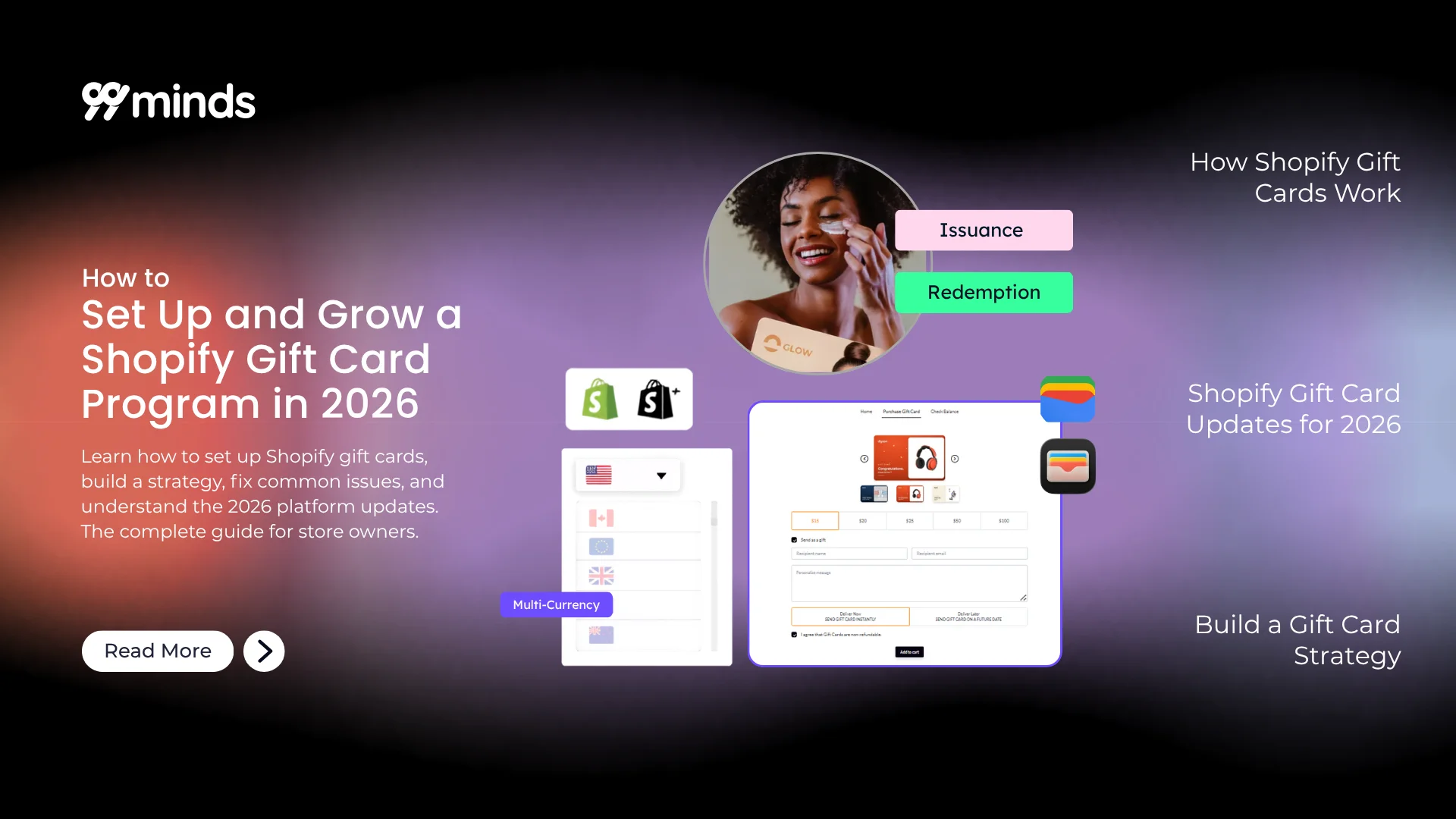
A Shopify gift card is one of the highest-margin products your store can sell: you collect the cash upfront, fulfillment is instant, and a meaningful share of that revenue never gets redeemed at all. Yet most merchants set up a Shopify gift card once, publish it, and move on without ever building a real program around it.
This guide changes that. Whether you’re setting up your first gift card or turning an existing one into a consistent revenue channel, you’ll find everything here: how Shopify gift cards work, the step-by-step setup with 99minds, what’s changed in 2026, how to build a strategy, how to troubleshoot common issues, and what the tax implications look like.
A Shopify gift card is a prepaid stored-value code, delivered by email or SMS, that a recipient can apply at checkout. When the card is used, the value is deducted from the order total. Any remaining balance carries over to the next purchase automatically. This digital gift card format gives both the buyer and the recipient a convenient, flexible payment method.
A few mechanics worth knowing before you set anything up:
This is the distinction that trips up most new Shopify merchants.
Gift card products are listed in your store like any other product. Customers find them, add them to their cart, pay, and the recipient gets a code by email. This is the standard gifting flow.
Issued gift cards are created by you in the Shopify admin and sent directly to a specific customer. The customer doesn’t pay anything. You use this for rewards, apology credits, referral incentives, and promotional campaigns.
Both live under Products > Gift Cards, but they serve completely different purposes. Knowing which one to use, and when, is the first decision a gift card strategy requires.
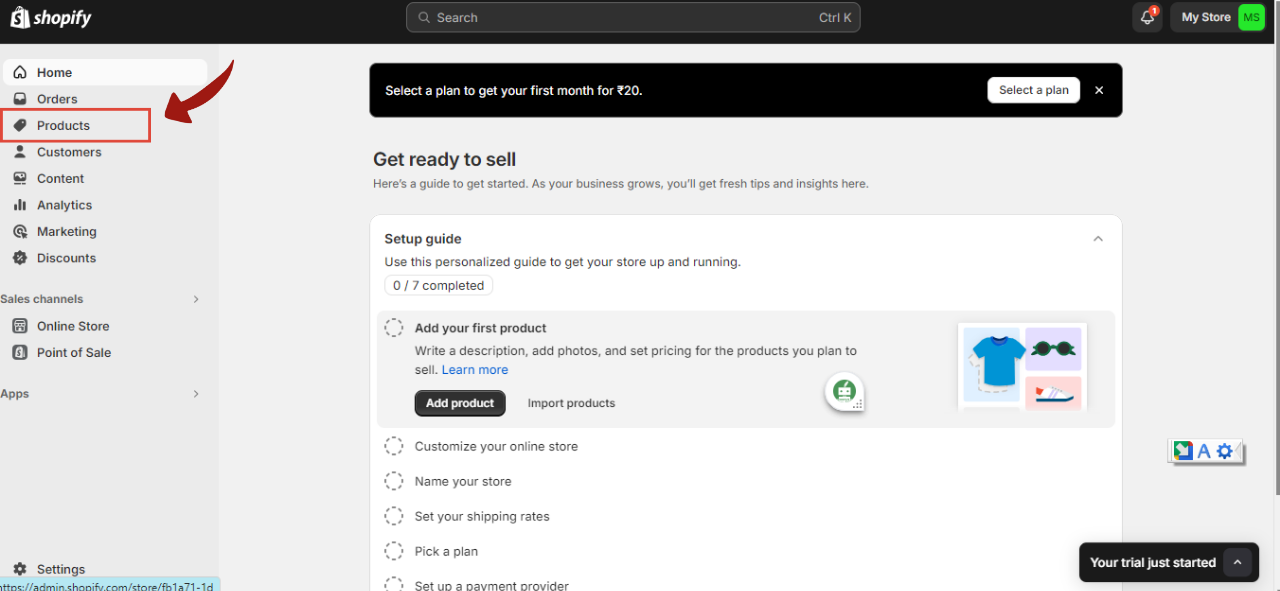
This is the flow for creating a gift card your customers can purchase and send to others.
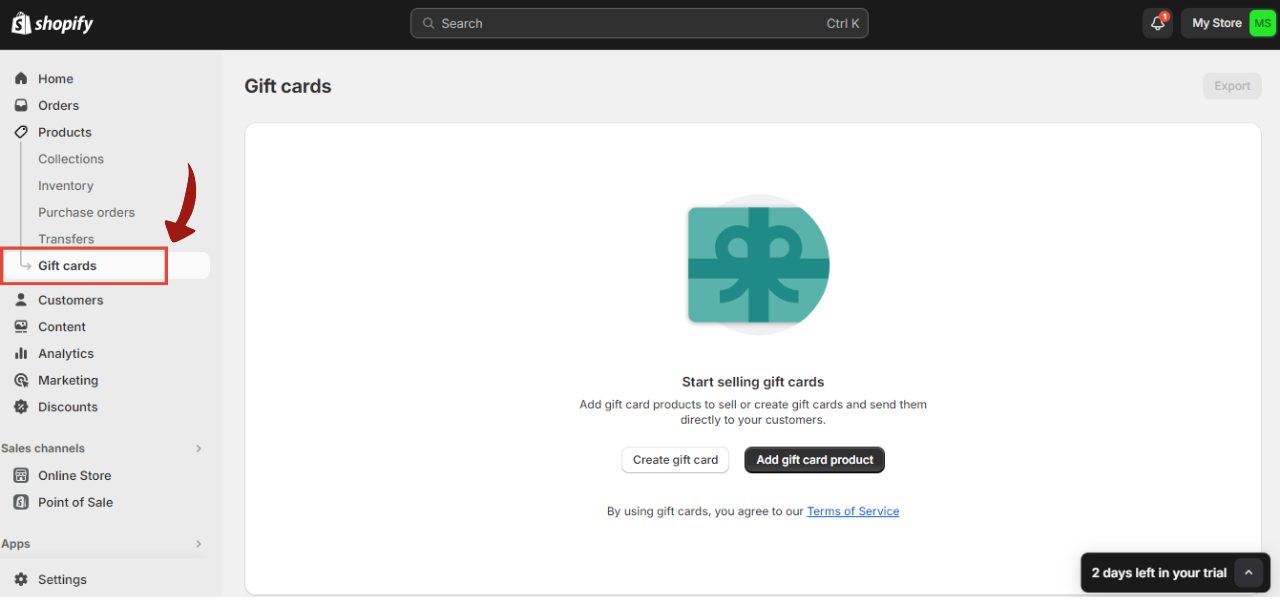
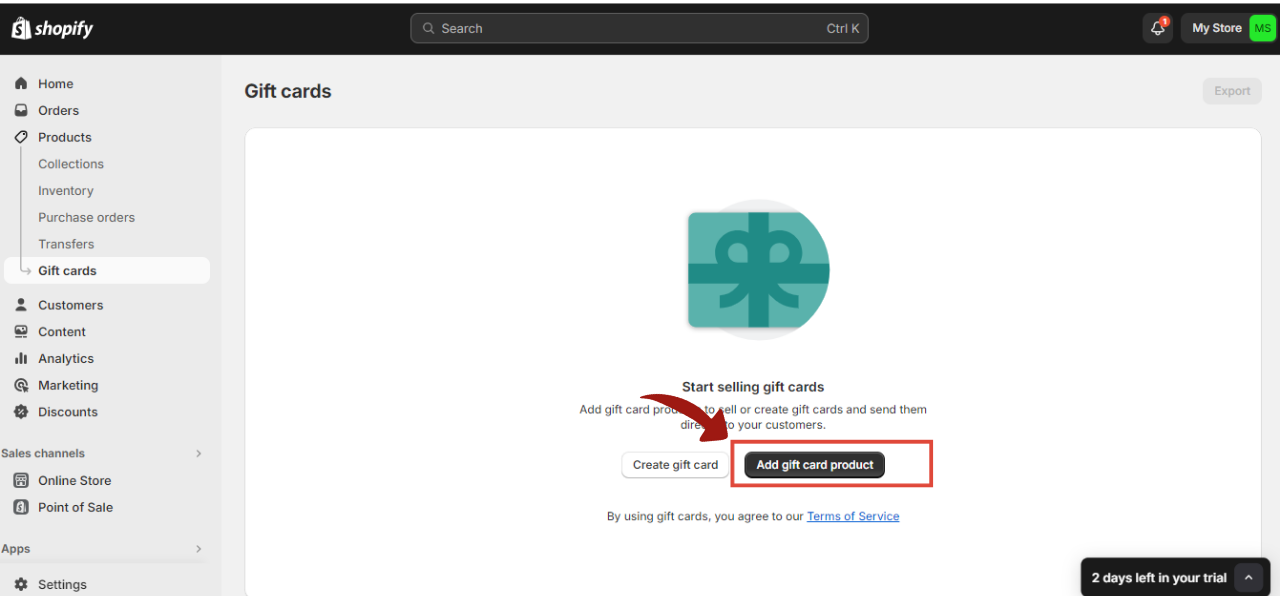
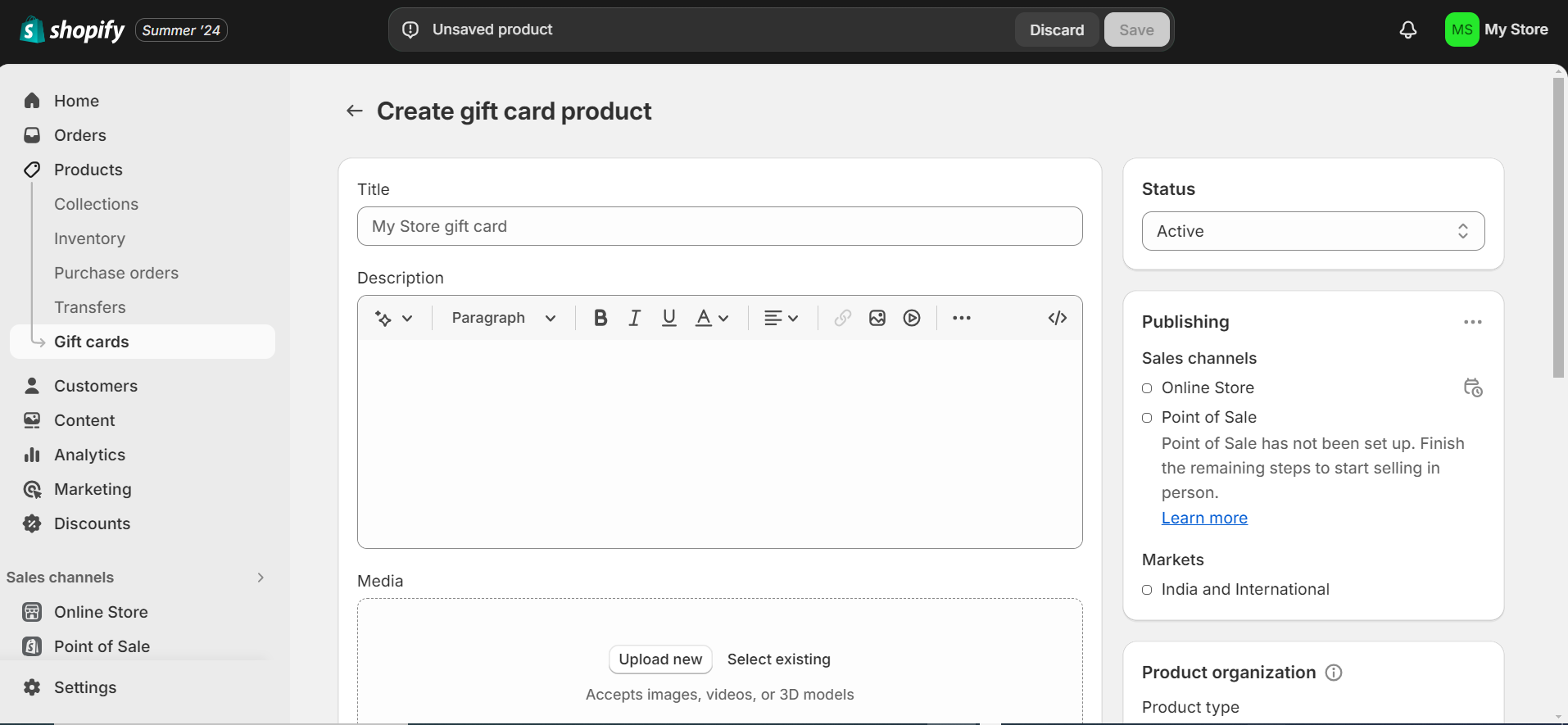
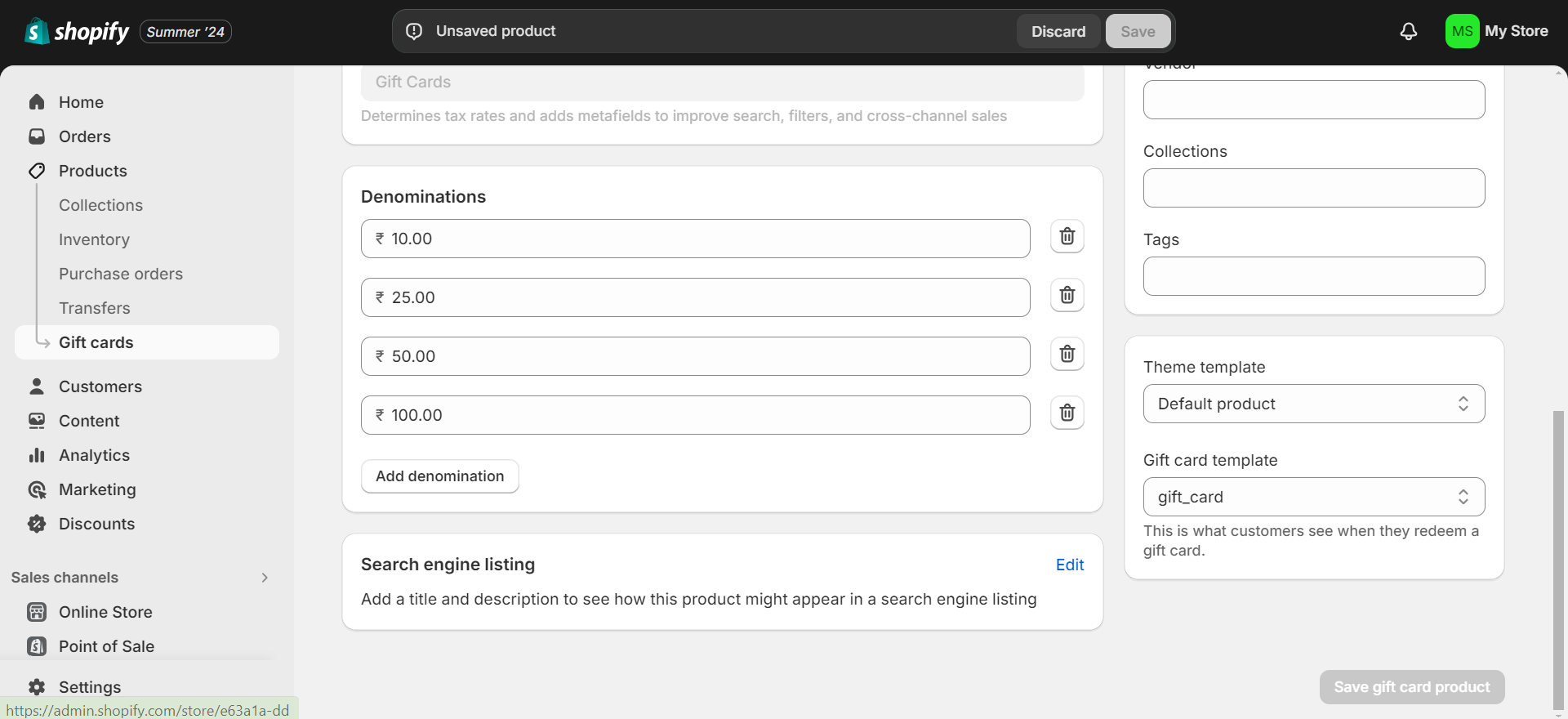
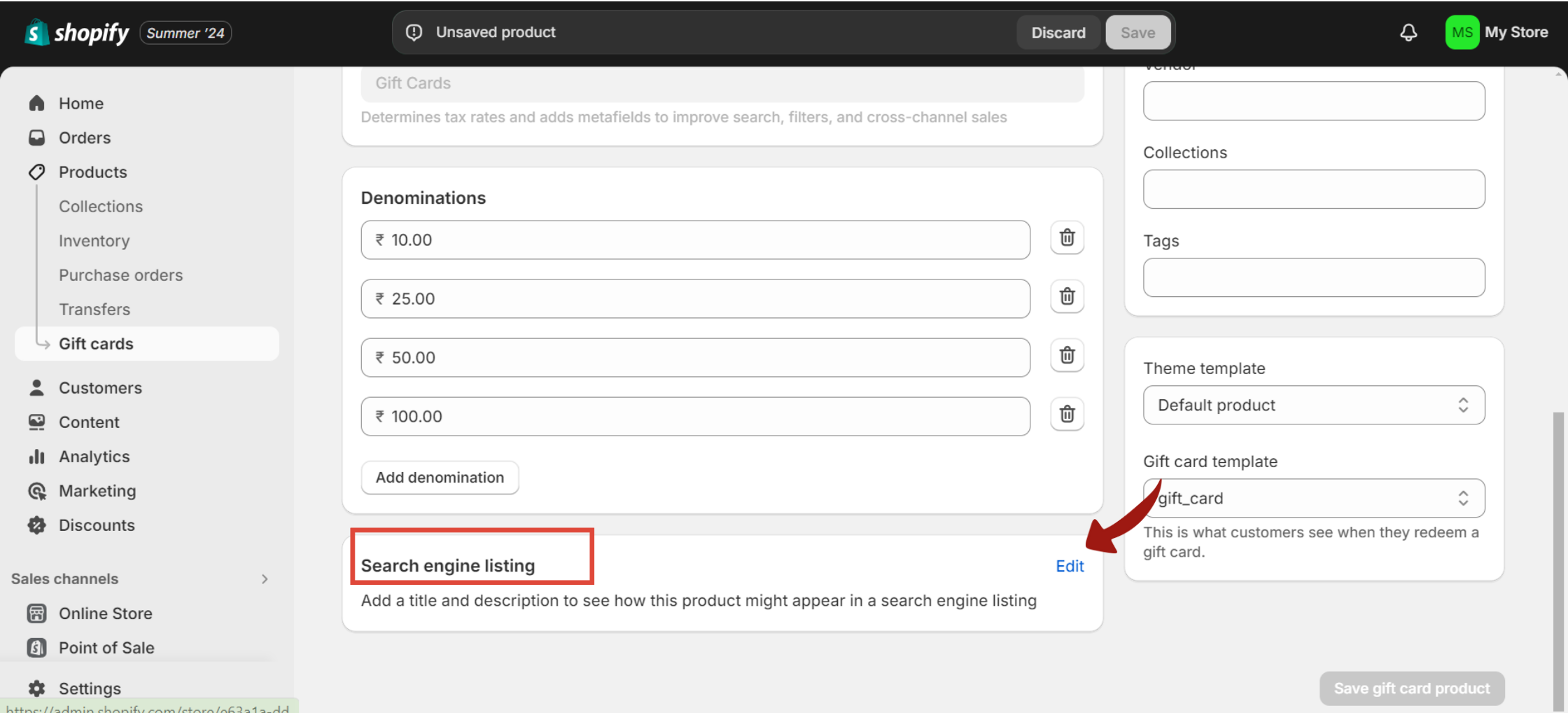
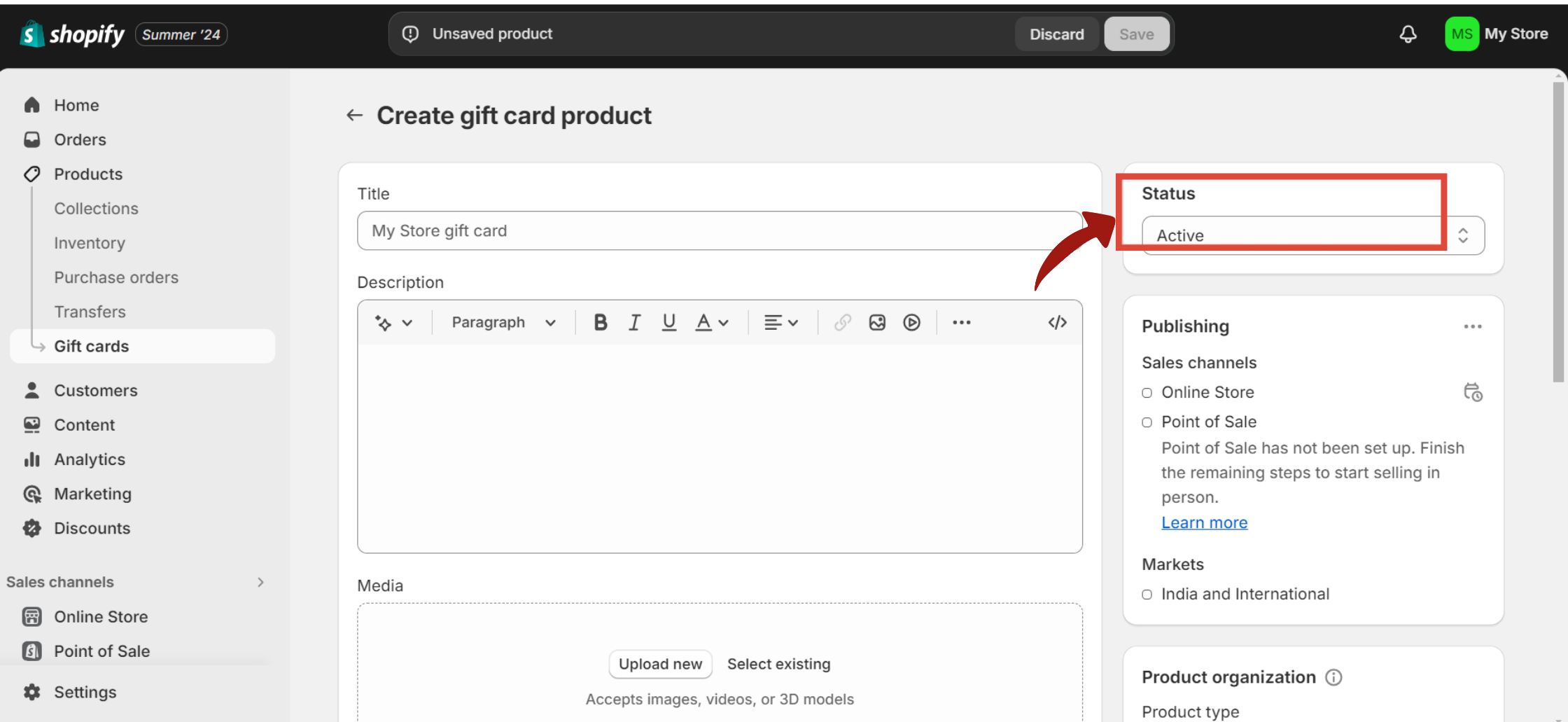
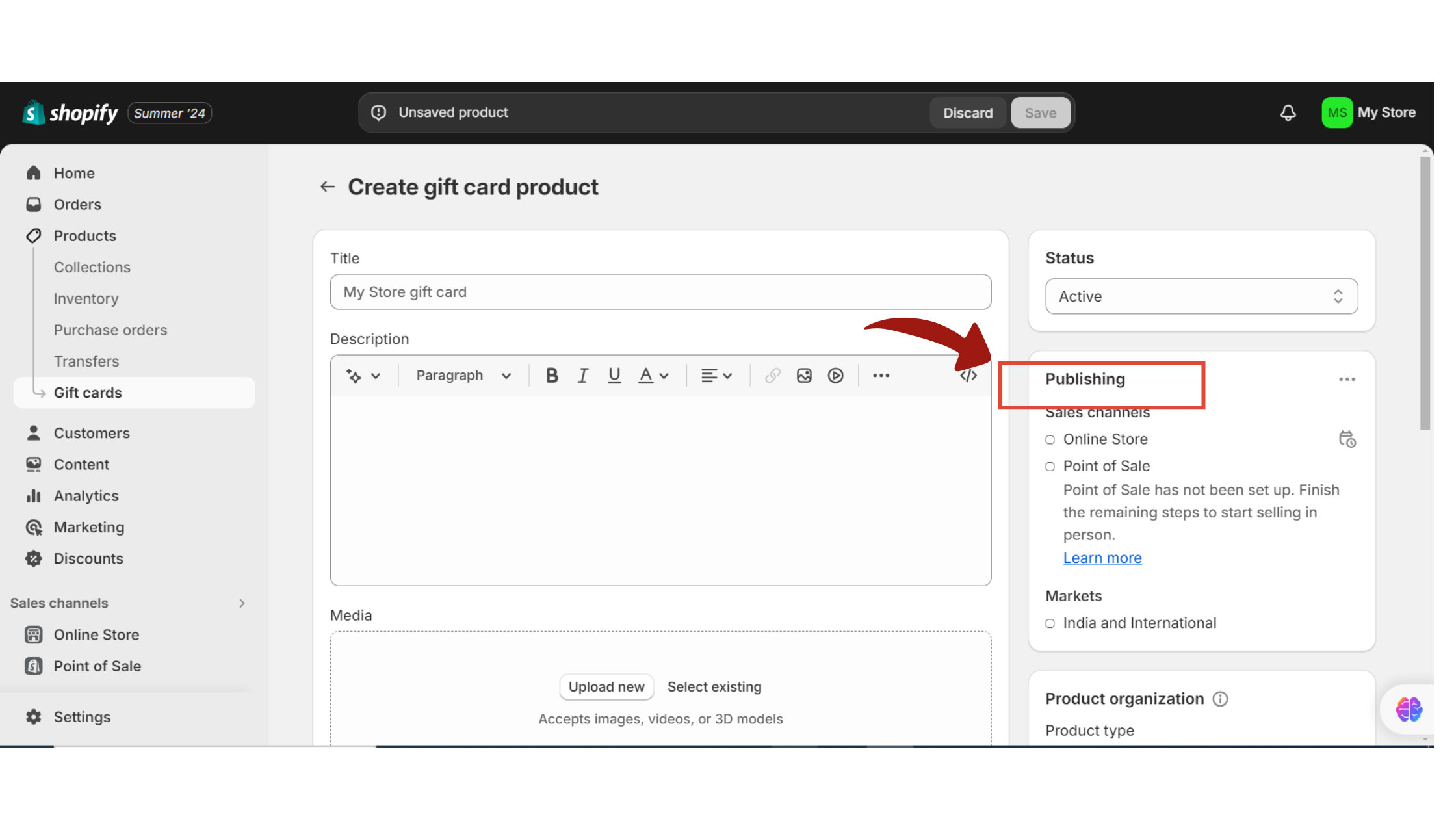
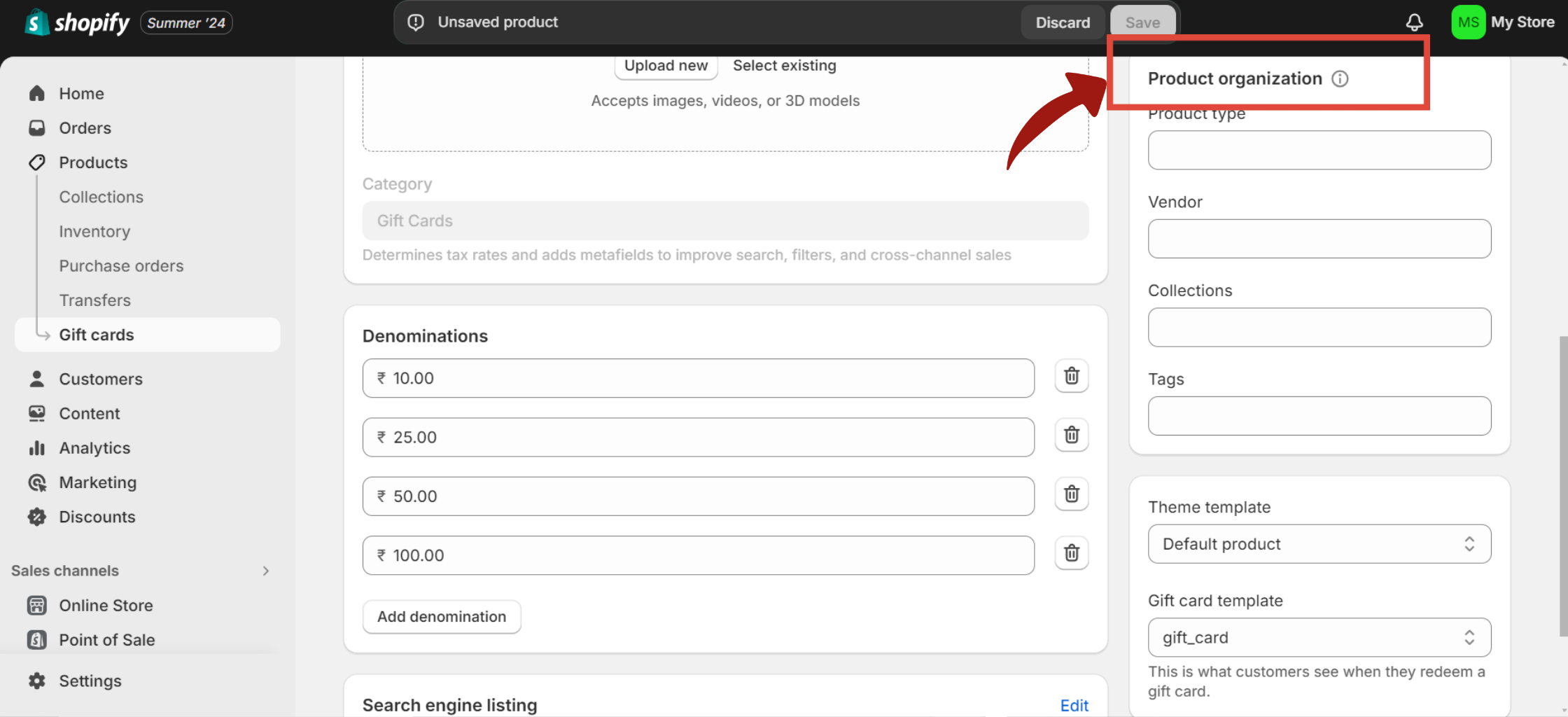
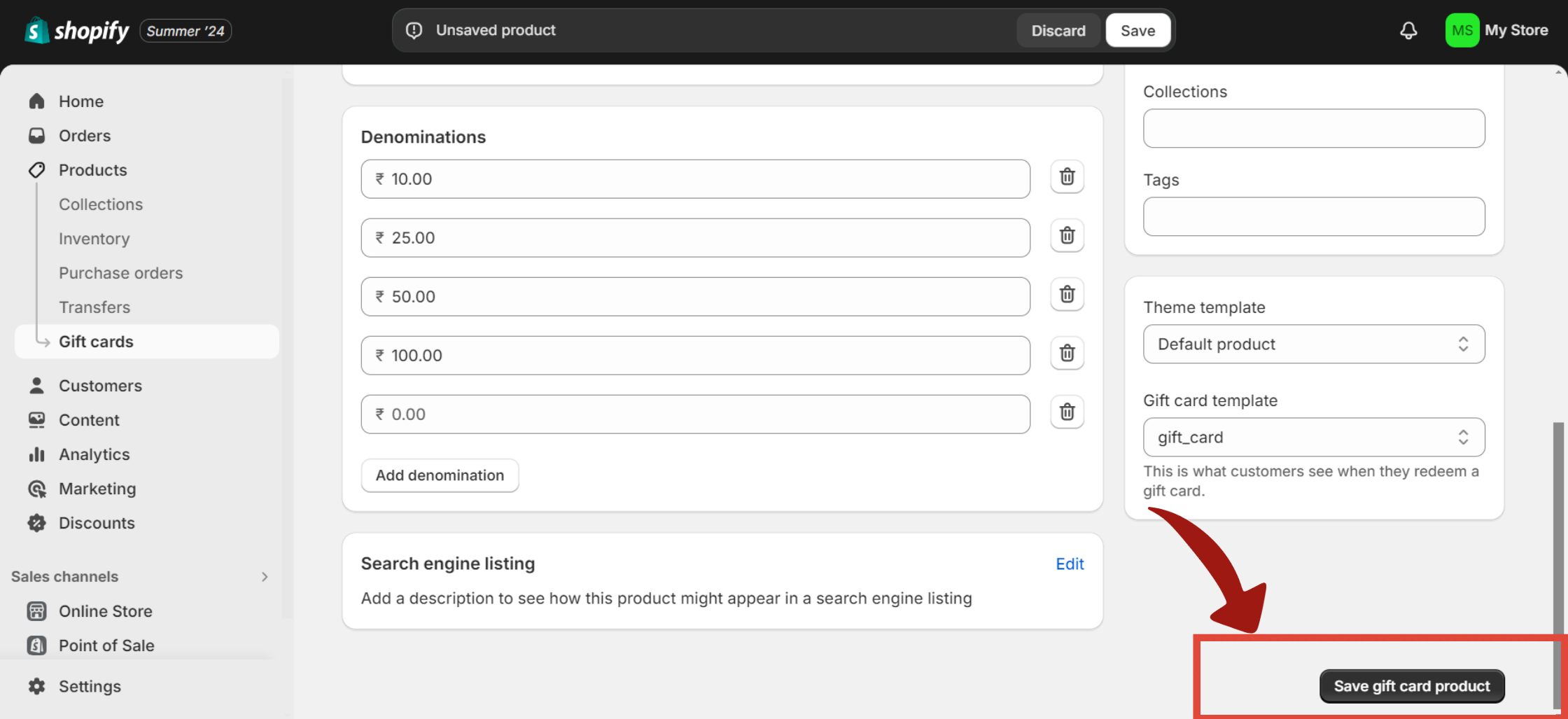
This is the flow for issuing a gift card directly to a customer, at no cost to them.
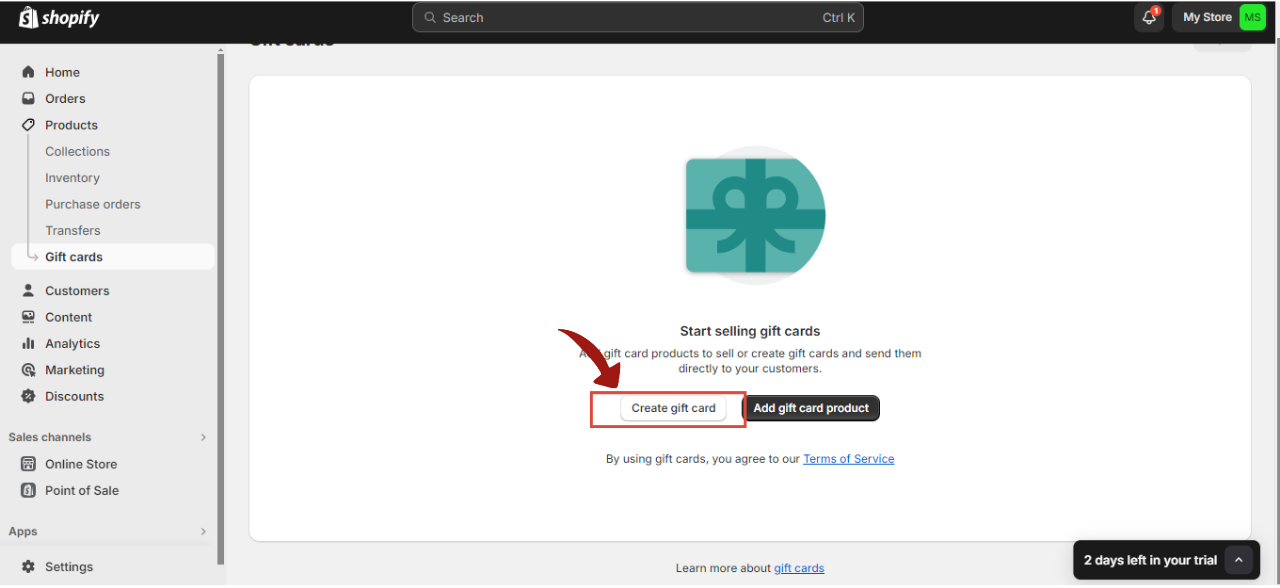
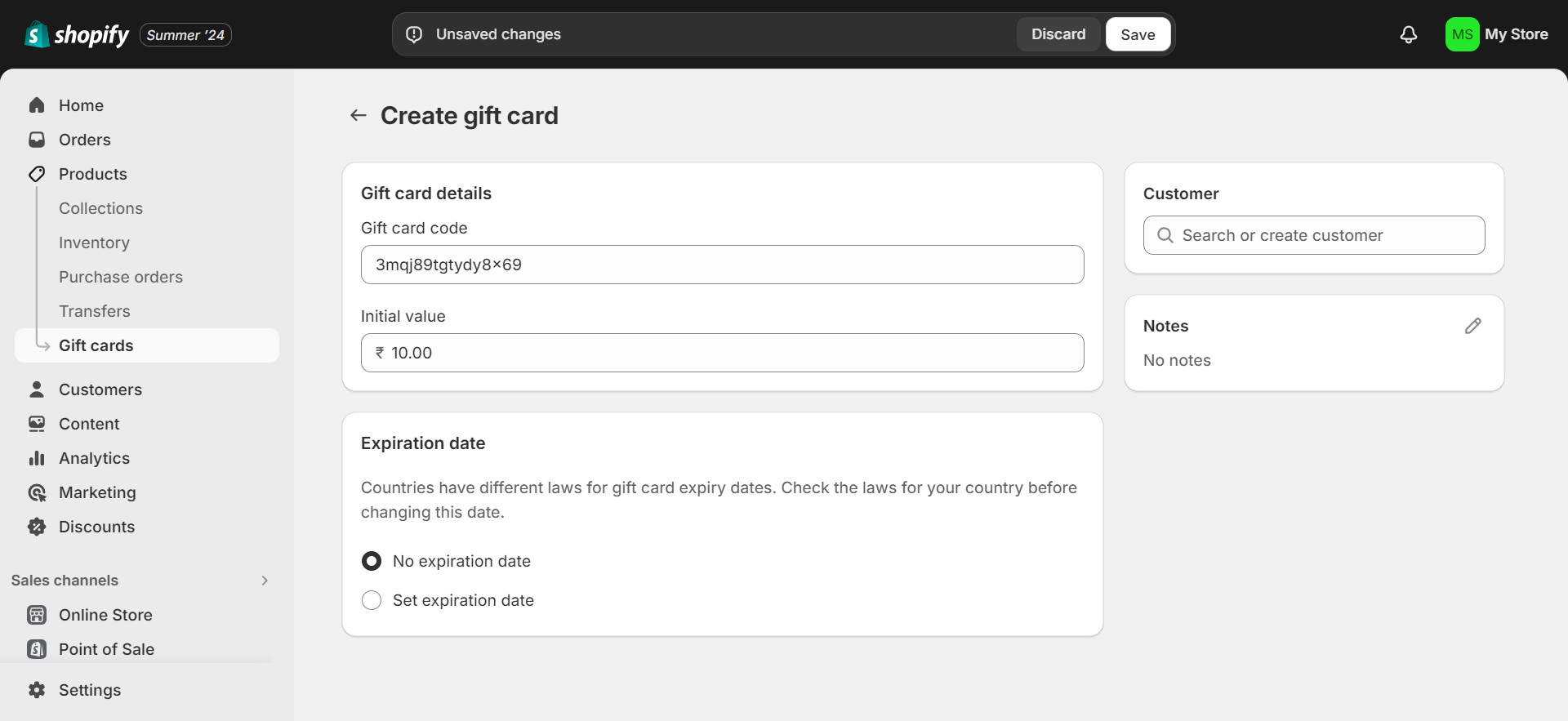
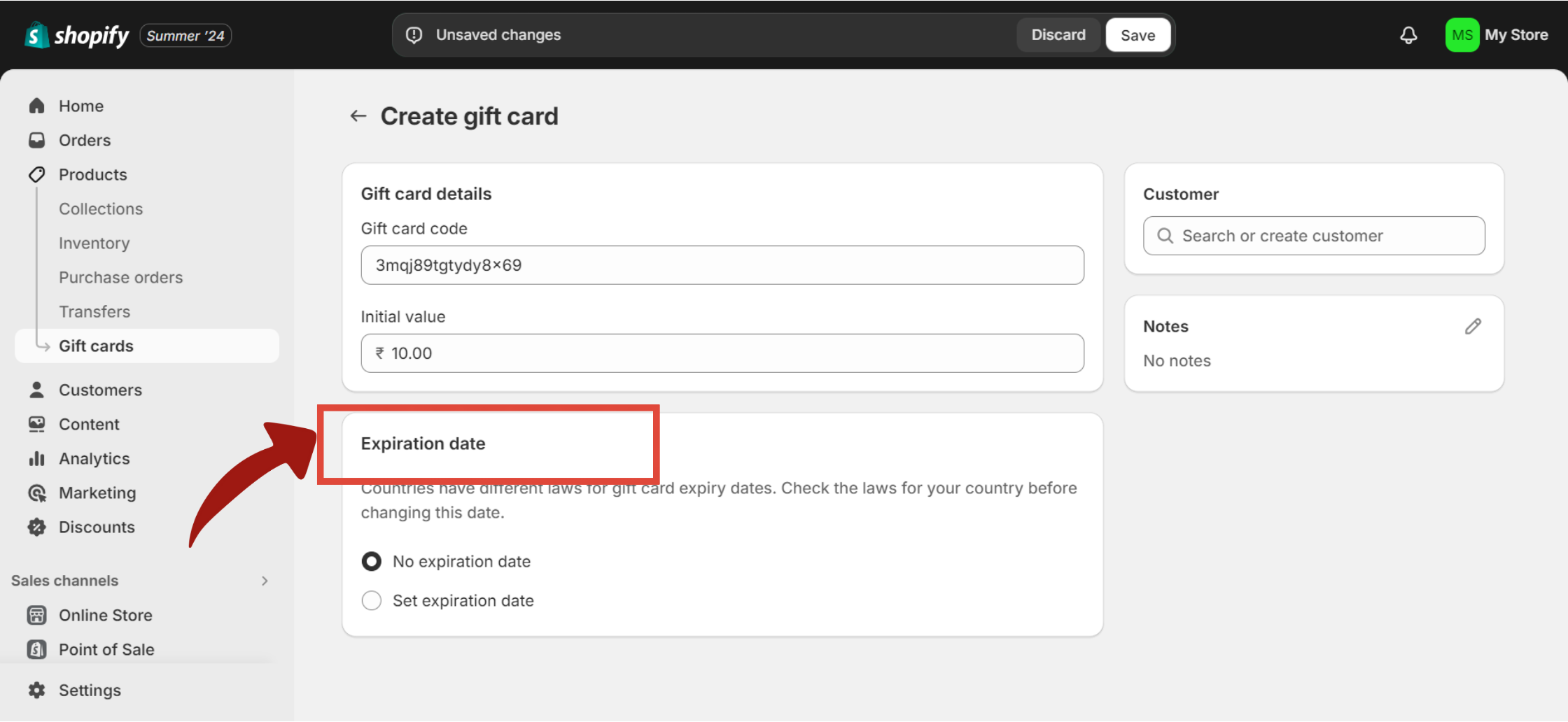
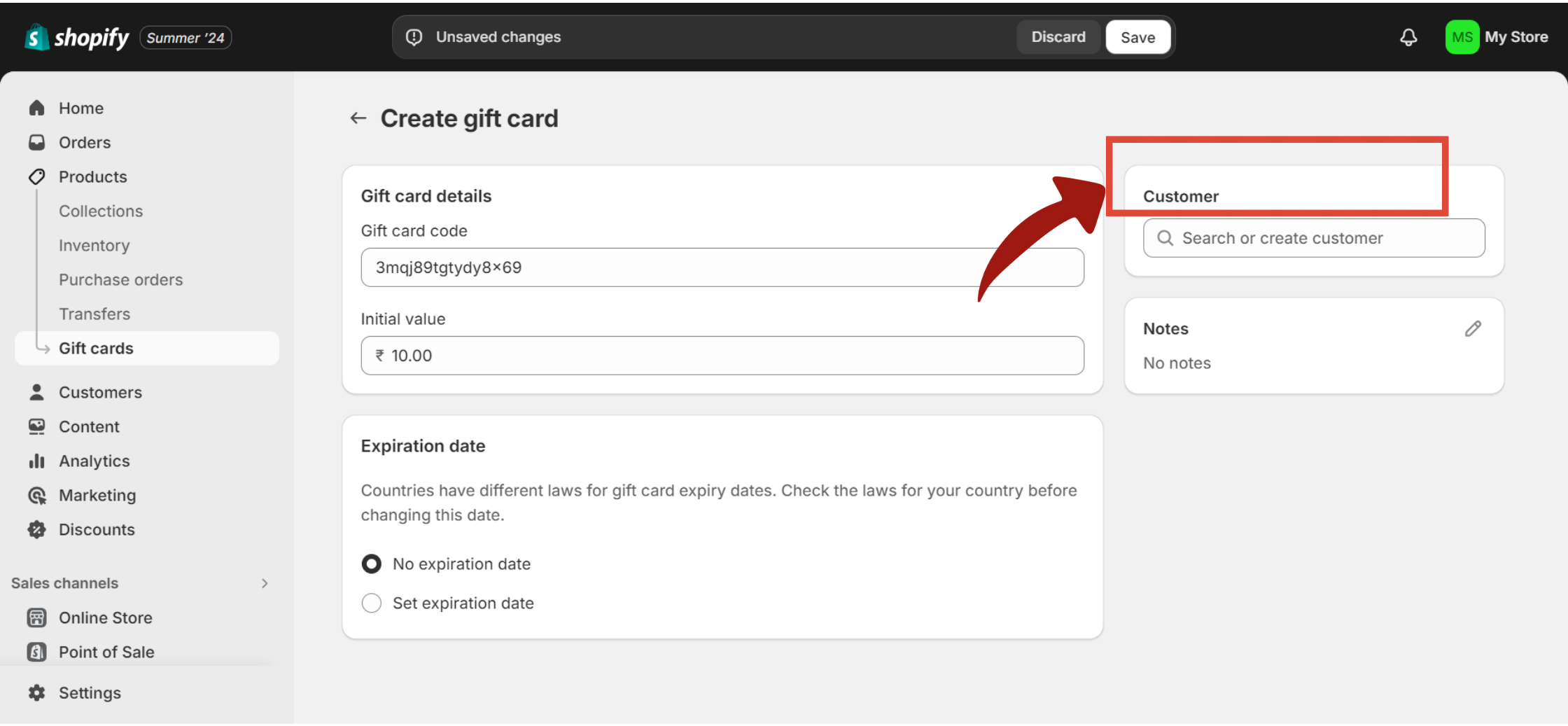
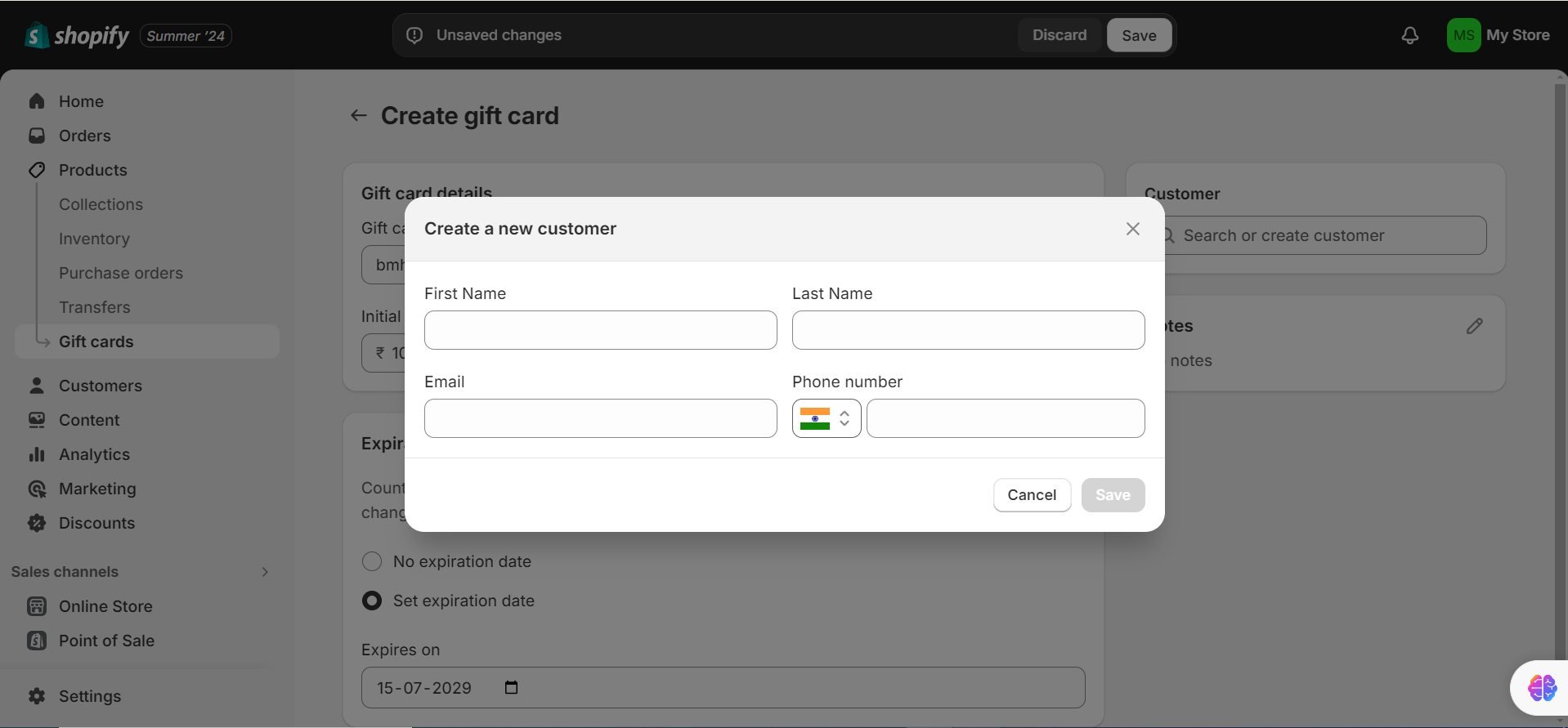
You can also customize the gift card email template that goes out to recipients. Go to Settings > Notifications > Gift card created to edit the template. Basic text edits are accessible to anyone; advanced HTML styling requires some coding knowledge.

Sometimes you need to shut a gift card down: it was created by mistake, it’s being abused, or you’re retiring a promotional card. Shopify gives you two options depending on whether you want to remove it entirely or just deactivate it while keeping the record.
This permanently removes the gift card product from your store catalog.
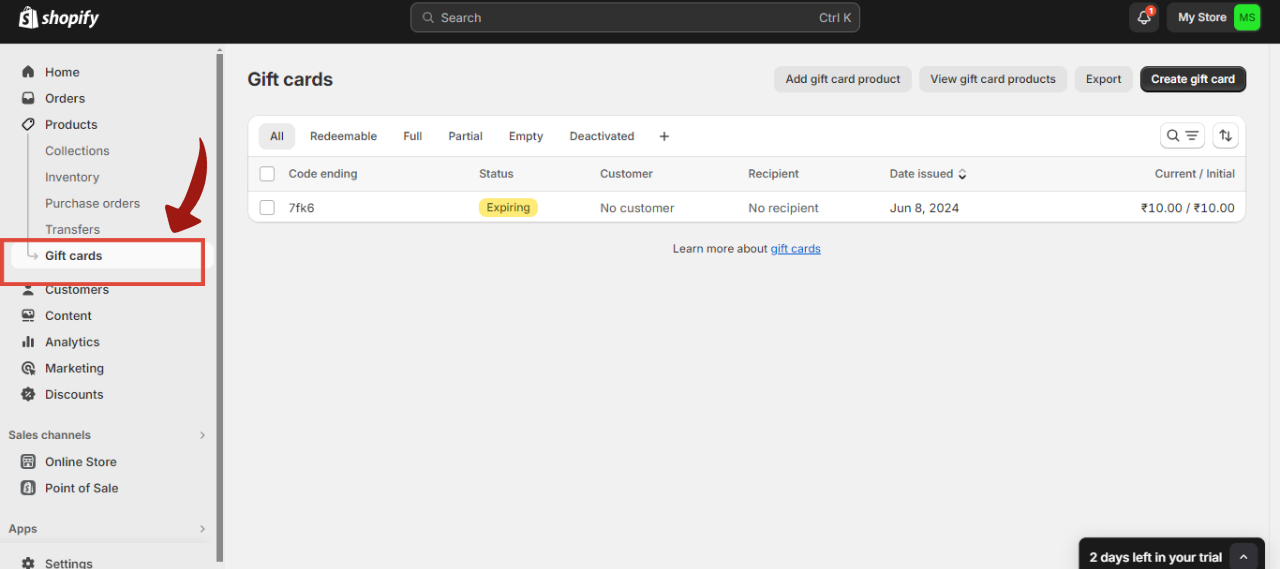
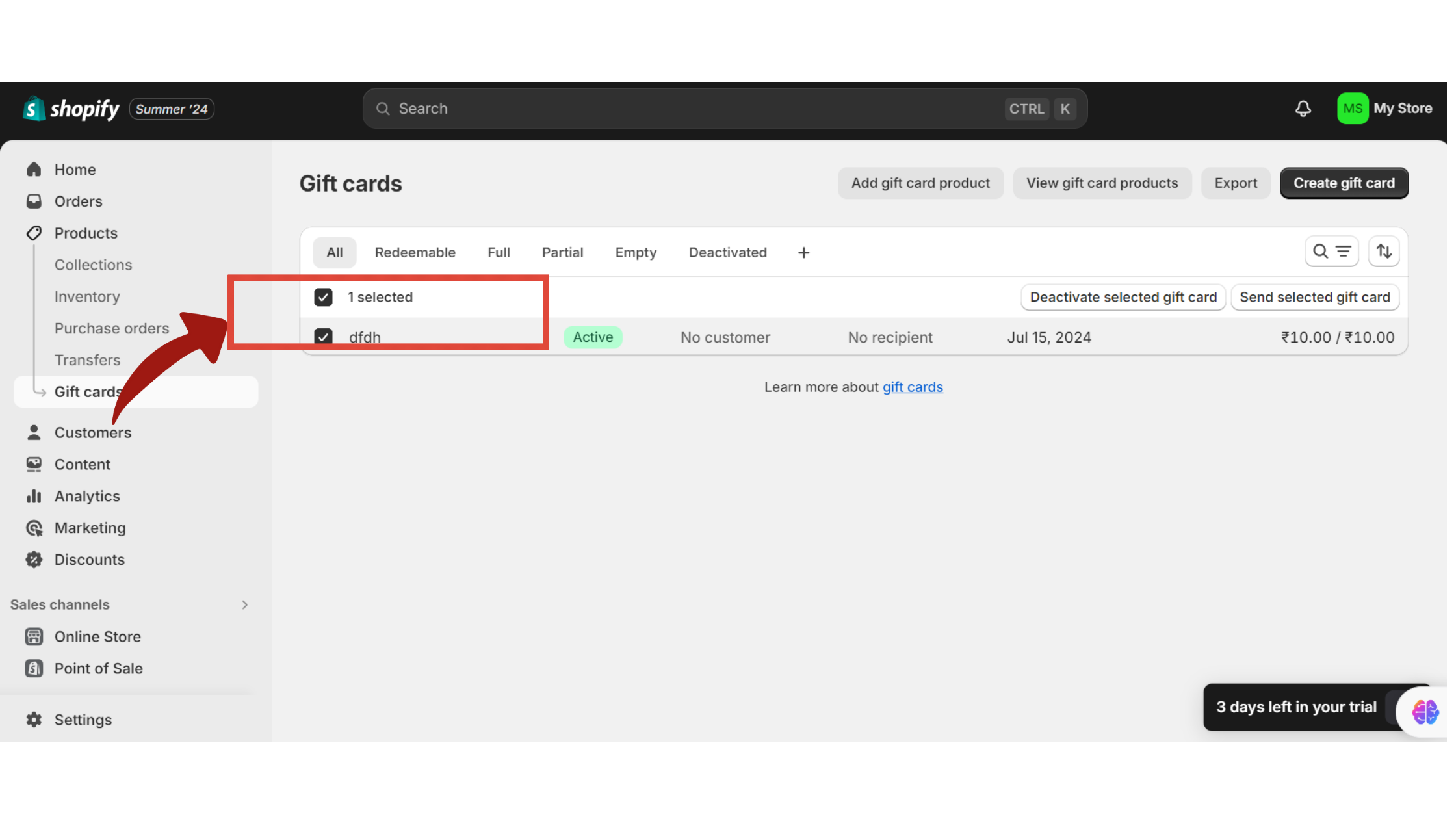
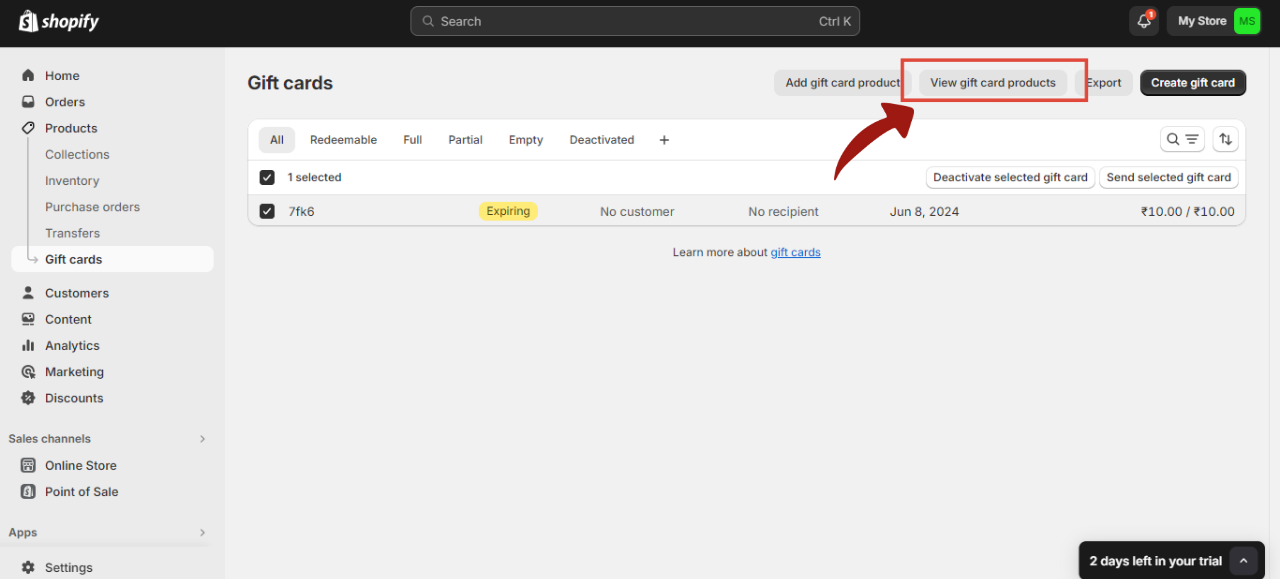
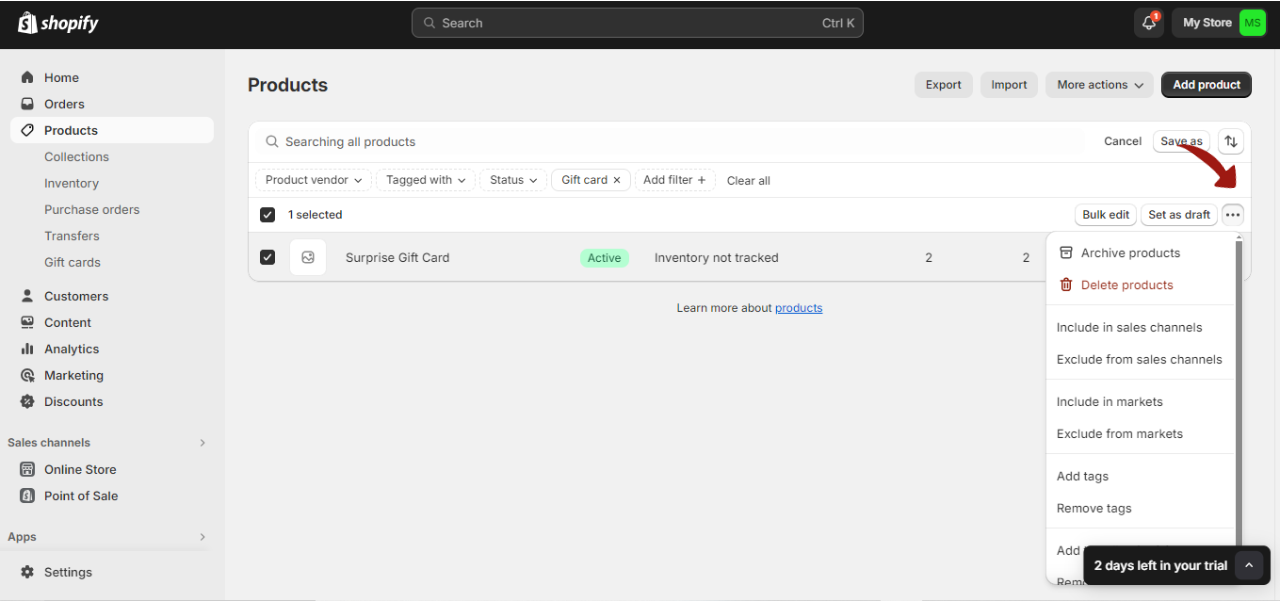
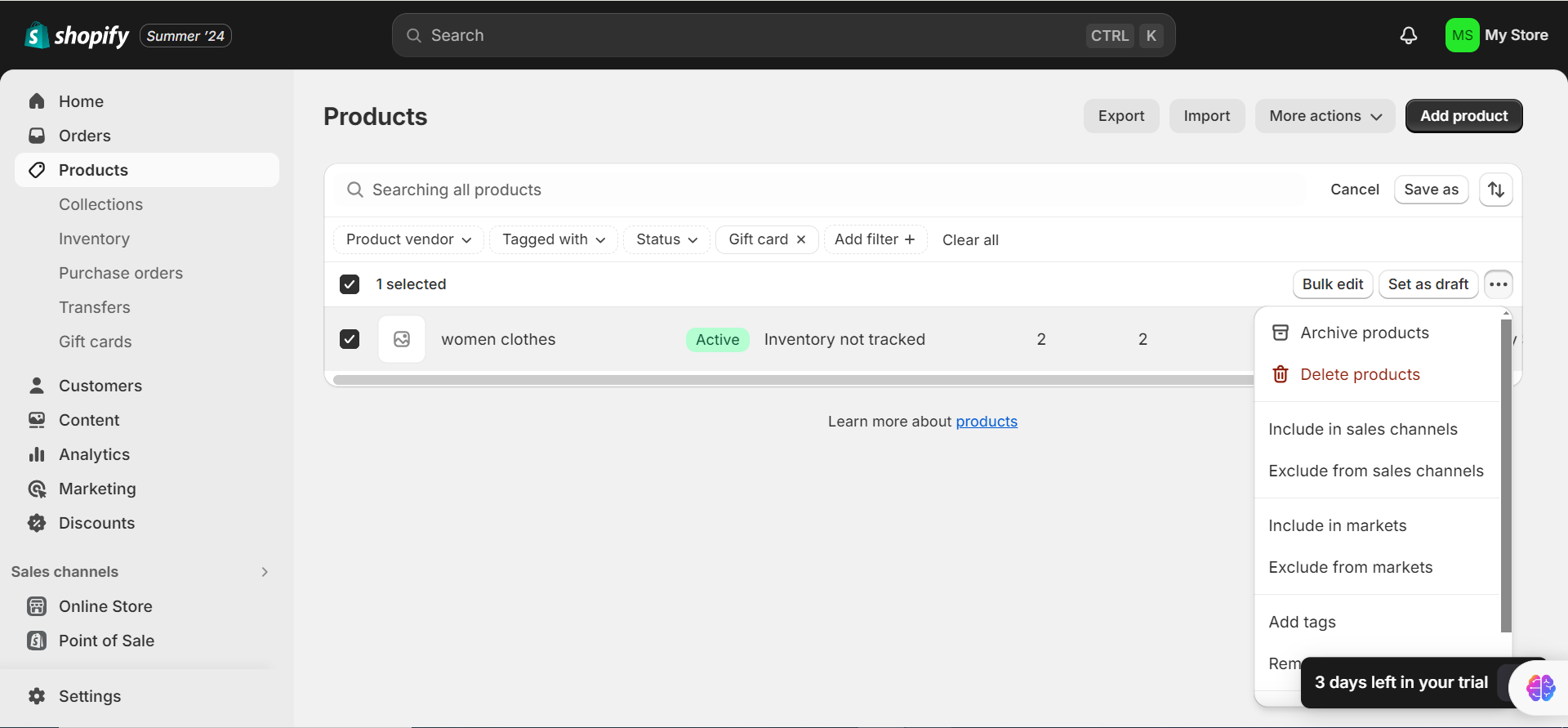
The gift card product is now permanently removed from your store.
If you want to deactivate a specific gift card without deleting it, useful when you want to keep its record for accounting or support purposes, disable it instead:
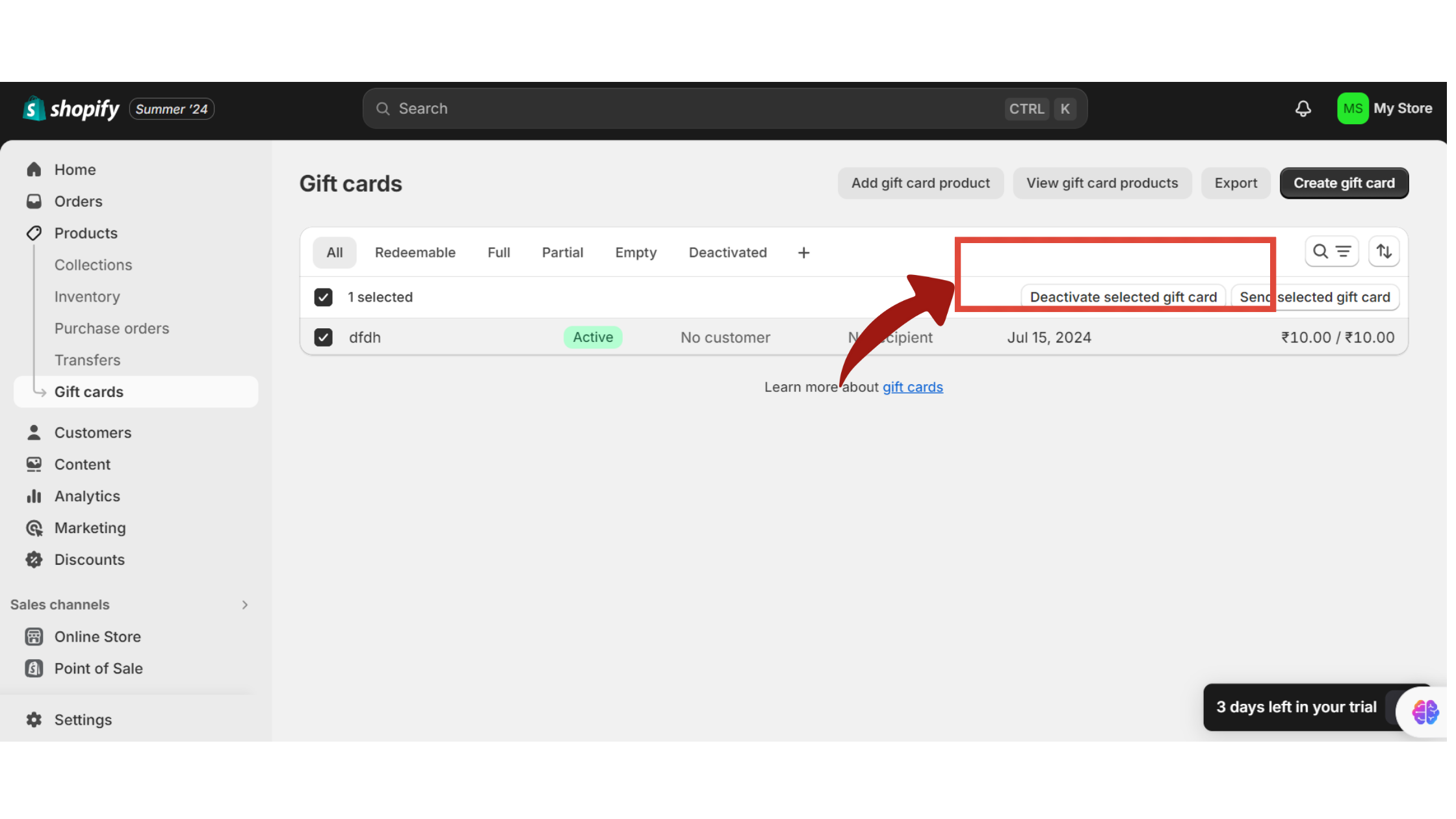
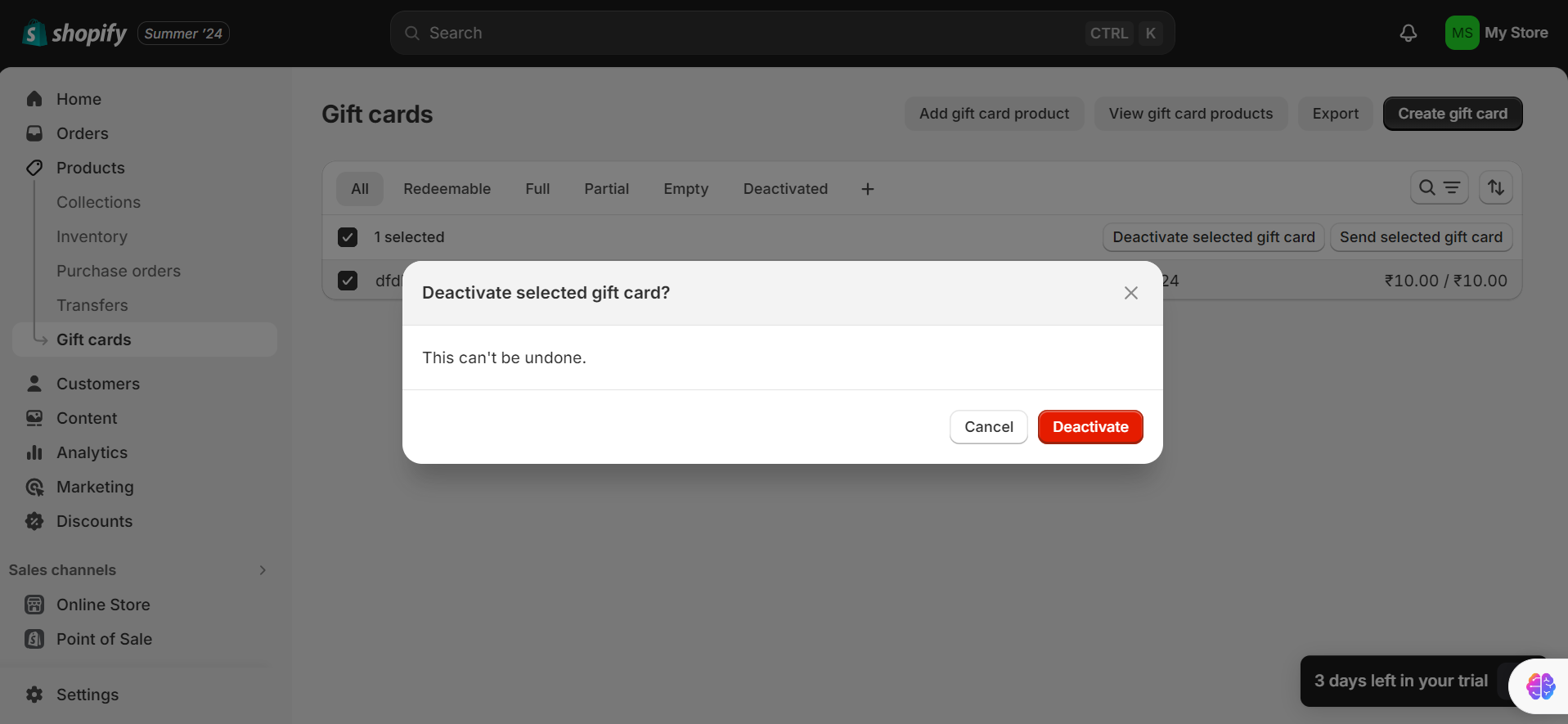
Once disabled, the card can no longer be redeemed at checkout, but its transaction history stays visible in your admin, which is why disabling is usually the safer choice over deleting if you need an audit trail.
Most Shopify gift card articles on the web were written in 2024 or earlier. A few things have changed that are worth knowing about before you set up or restructure your program.
Shopify now lets you create gift cards denominated in a specific local currency for international markets. A European customer can receive a EUR-denominated gift card and redeem it in EUR, without any confusion at checkout.
There’s also a cross-currency redemption option that lets recipients redeem a store-currency card in their own local currency, converted automatically at checkout. This is particularly useful for merchants using Shopify Markets who want a single gift card product to work across all markets.
One important constraint: the cross-currency setting is configured at card creation and cannot be changed afterward. Decide before you save.
Physical gift cards issued through Shopify POS can now be added to Apple Wallet with a scannable QR code. Recipients can redeem in-store by showing the QR code on their phone, with no physical card required. This bridges digital and in-store redemption in a way that wasn’t available before.
If you run a hybrid online and brick-and-mortar operation, this is worth exploring. For full Apple and Google Wallet integration, the 99minds Apple/Google Wallet Pass feature extends this capability across your entire loyalty and gift card program.
To clarify the current limits, since these have caused confusion:
These caps matter if you’re doing corporate gifting or selling high-AOV products where a $200 gift card feels low.
Setup is a 10-minute task. Strategy is what determines whether your gift card program generates meaningful revenue or quietly sits in your store catalog doing nothing. Here’s how to think about each component.
The denominations you offer shape what customers buy. Most buyers choose the middle option when presented with three amounts. So if you want to sell more $50 cards, put them in the middle: $25 / $50 / $100.
Consider also offering custom amounts alongside your preset tiers. Some buyers want to give exactly $75 or exactly $30, and locking them into round numbers means you lose that sale.
Higher denominations tend to drive more overspending at redemption. Research shows that around 61% of gift card recipients spend more than the card value when they redeem, often by a meaningful amount. A customer with a $100 gift card has less psychological friction about adding a $120 item to their cart than someone paying cash.
Two approaches dominate: urgency (short expiry) versus goodwill (no expiry).
Short-expiry cards (30 to 60 days) create urgency and drive faster redemption. They work well for promotional gift cards you’re issuing as incentives. They do not work well for paid gift cards, where a customer has spent real money and expects the card to be valid for a reasonable period.
No-expiry cards eliminate friction entirely and are the safest choice for standard gift card products. Under the US Credit CARD Act, gift cards must remain valid for at least five years from the date of issue, regardless of any expiry date you set. No expiry is always compliant; short expiry requires care.
Best practice recommendation: no expiry for gift card products customers purchase, and 30 to 60 days for promotional gift cards you issue as marketing incentives.
Gift card volume follows predictable patterns: November and December, Valentine’s Day, Mother’s Day, and Father’s Day are the peak gifting windows. Plan homepage placement and dedicated email campaigns around these dates, not during them.
The “last-minute gift” angle is one of your strongest differentiators over physical gifts. A digital gift card arrives in seconds. Lean into this in your seasonal copy: “Forgot to order? Send the perfect gift in under two minutes.”
Promotional gift cards (“spend $150, get a $20 gift card”) are effective for moving average order value during slower periods. The key is structuring the spend threshold above your current AOV, not at it.
Issued gift cards (the ones you create and send directly) are underused by most Shopify merchants. Here are three retention scenarios where they consistently outperform discount codes:
Apology credits: When a customer has a bad experience, a gift card feels like compensation. A discount code feels like a coupon. Gift cards have higher perceived value even at the same dollar amount, and they drive a return visit rather than just a one-time redemption.
Lapsed customer reactivation: Segment customers who haven’t purchased in 90 or more days and send a personalized gift card. The code in their inbox is a concrete reason to come back, whereas a discount email is easy to ignore.
Referral rewards: Customers who refer a friend and receive a gift card tend to redeem it faster than those who receive a discount. The gift card feels like money they already have, and spending it feels like spending store money rather than their own.
For a broader look at building customer retention into your promotional calendar, the 99minds blog covers this in detail across loyalty, store credit, and referral contexts.
These are the issues that come up most often after setup, and the ones that rarely get a clear answer in standard Shopify documentation.
The most common cause is a disabled gift card. Check Products > Gift Cards in your admin, find the card, and confirm its status is active.
The second most common cause is a formatting error when the customer enters the code. Shopify codes are case-insensitive but space-sensitive. A single extra space will cause the code to fail.
If the gift card was issued for a specific customer, it may only be redeemable when that customer is logged in to their account. Confirm the card is assigned to the right customer profile.
Remember that gift cards cannot be used to purchase other gift cards. This restriction is built into Shopify’s checkout and returns an error if attempted.
Have the customer check their spam or junk folder first. Most “missing” gift card emails are sitting there.
From the merchant side, go to Products > Gift Cards, find the relevant card, and check the email address on the record. If it’s incorrect, update it and resend. You can resend the gift card email directly from the gift card detail page in the Shopify admin.
If the issue persists, go to Settings > Notifications and confirm the “Gift card created” notification is enabled.
Shopify carries the remaining balance forward after every partial redemption. If a customer is surprised by their balance, they likely forgot about a previous redemption. The Activity section of the gift card detail page (Products > Gift Cards > select the card) shows the full transaction history.
Customers can also check their current balance via the link in their original gift card email. If they’ve lost that email, they can contact your store, and you can look it up in the admin.
Shopify allows gift cards to be combined with discount codes, but only when the discount is configured to permit combinations. Go to Discounts, open the relevant discount, and check the Combinations setting. If it’s set to not combine with other discounts, the customer will need to choose one or the other.
This section won’t make you a CPA, but it will flag the accounting realities that growth-stage merchants often miss until their bookkeeper raises them.
When a customer buys a gift card, that transaction is not revenue yet. It’s a liability on your balance sheet: money you’ve collected but haven’t earned by delivering goods or services. Under standard accounting treatment (ASC 606 in the US, IFRS 15 internationally), revenue is recognized at redemption, not at purchase.
Shopify’s built-in financials record gift card sales as income when the sale happens. If you’re using Shopify’s reports for your accounting, confirm with your accountant how gift card sales are being categorized in your books. At low volumes, this distinction is minor. At meaningful gift card volumes, it affects your revenue figures materially.
Unredeemed gift card value (breakage) is recognized as income at the point when redemption becomes remote. The industry average breakage rate sits between 10% and 19% of total gift card sales, meaning a real share of what you sell will never be redeemed. The timing of when to recognize that income varies by jurisdiction and business policy, so consult a tax advisor as your gift card volume grows.
Shopify’s native gift card tool is functional for basic use cases. You can create cards, issue codes, set expiry dates, and manage balances. For a store that wants a gift card as a product option, that’s often enough.
The ceiling appears quickly once you want gift cards to be a real revenue channel. Here’s a direct comparison:
| Feature | Shopify native | 99minds |
|---|---|---|
| Card design customization | Basic (template upload) | Full design control, no developer required |
| Automated balance reminder emails | Not available natively | Built-in, configurable |
| Redemption analytics | Minimal | Full dashboard: redemption rates, denomination performance, outstanding liability |
| Behavior-triggered gift card issuance | Manual only | Automated workflows (e.g., issue a card when a customer hits a spend threshold) |
| Multi-currency support | Basic (cross-currency at checkout) | Full 99minds multi-currency gift card issuance and redemption |
| Loyalty program integration | None | Gift cards, points, referrals, and store credit in one dashboard |
| Apple/Google Wallet passes | POS only | Full Apple and Google Wallet integration |
The 99minds Shopify integration connects directly with your existing store. You don’t need to migrate or rebuild anything; 99minds layers on top of what you already have and fills the gaps Shopify leaves.
If you’re issuing fewer than 20 to 30 gift cards a month and have no plans to tie them into a broader loyalty or retention program, Shopify’s native tool is sufficient. If gift cards are part of how you think about customer retention and repeat revenue, you’ll outgrow native quickly.
You can also compare how gift cards interact with Shopify store credit and online store credit as complementary retention tools, both of which 99minds manages in the same dashboard.
A Shopify gift card program that works is one that’s set up correctly, updated for the current platform, built around a deliberate strategy, and managed with the right tooling. The setup itself takes 10 minutes. The strategy takes a bit more thought, but the payoff, in breakage income, cash-flow timing, and new customers introduced by existing ones, compounds over time.
If you’re starting out, Shopify’s native gift card tool gets you there. When you’re ready to build something more serious, whether that means automated balance reminders, redemption analytics, multi-currency issuance, or loyalty integration, get started with 99minds and have your upgraded program live on your Shopify store within minutes.